Steps to setup Wi-Fi in AGX
Hardware Info:
Wifi module - INTEL AC8265.
DELOCK 89454 WLAN antenna MHF® 4L
Setup wifi in infrastruce mode (Hotspot mode is used here) :
Go to Wi-Fi networks and connect to the required network using the SSID and password.
Setup wifi in adhoc mode (Hotspot mode is used here) :
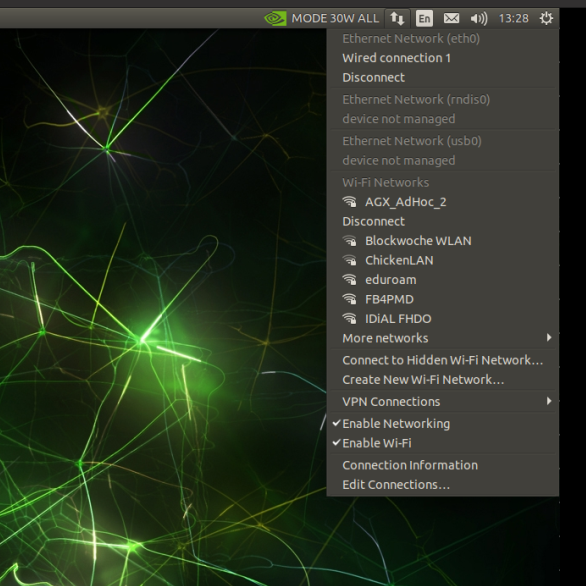
1 .Go to the menu as shown in the belows image and clik on “Edit connections” .
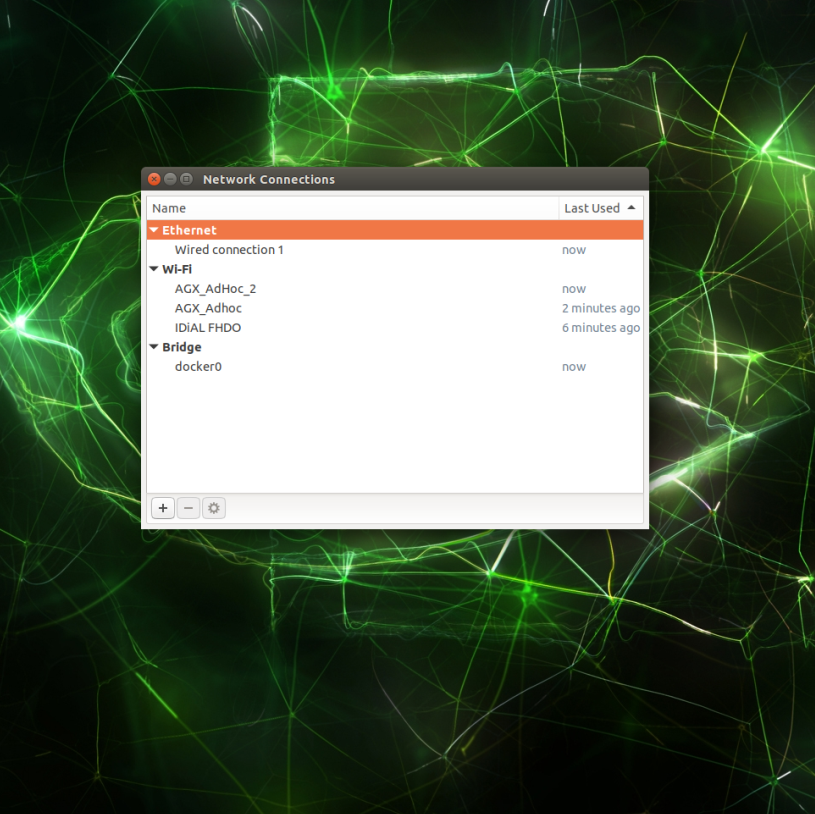
Network connections menu pops up click on “+” button to add new connections.
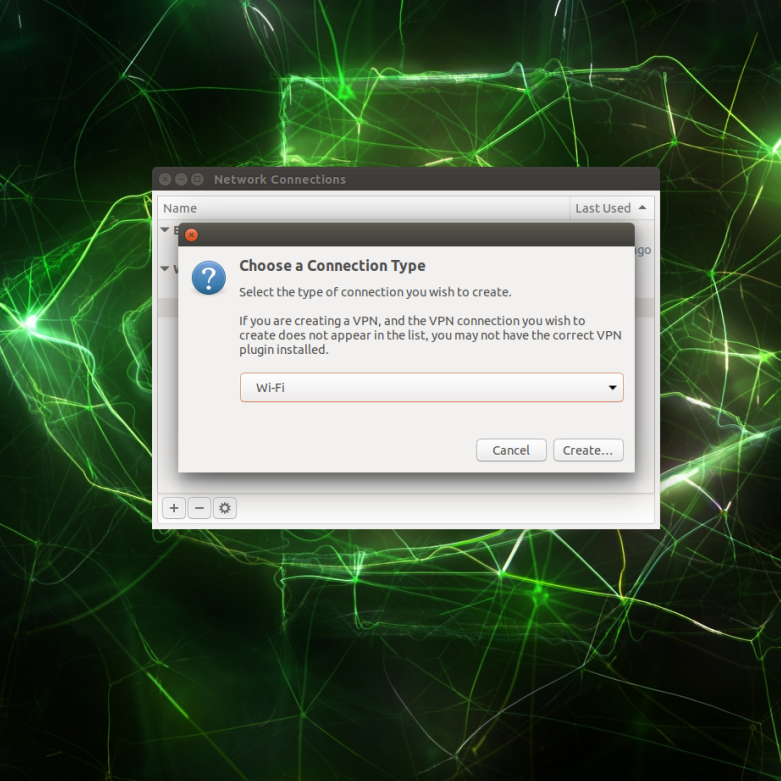
From the next menu select the connection type as “Wi-Fi”.
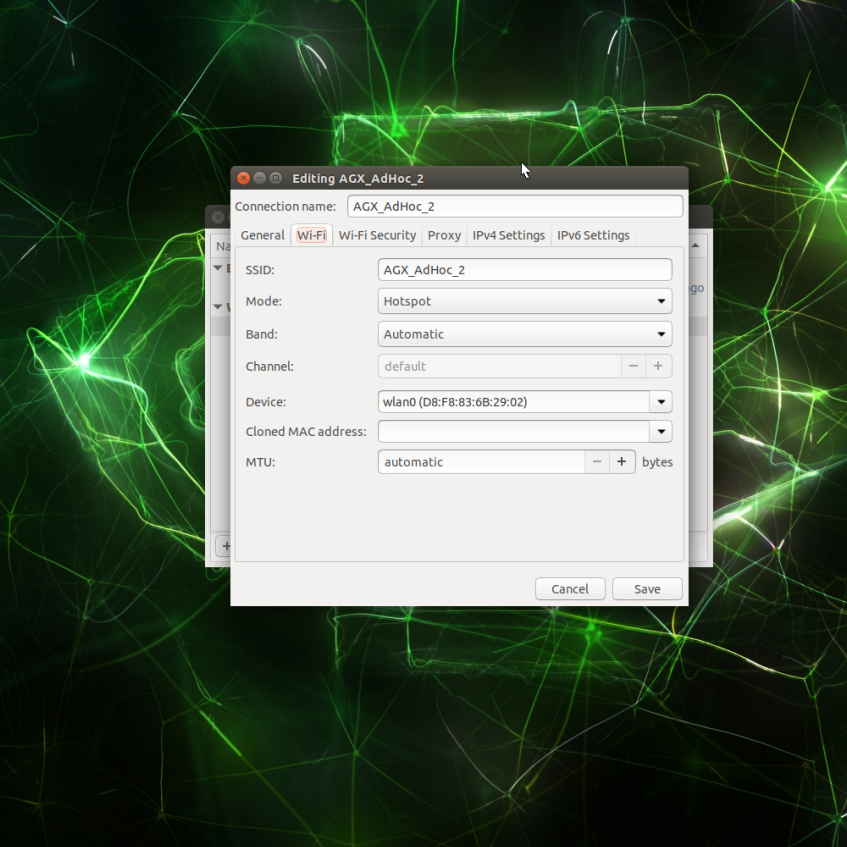
Menu pops up for editing the wifi information update the “Connection name” and “SSID” , update the mode as Hotspot, select the Device from the menu (example : wlan0(D8:F8:83:6B:29:02)).
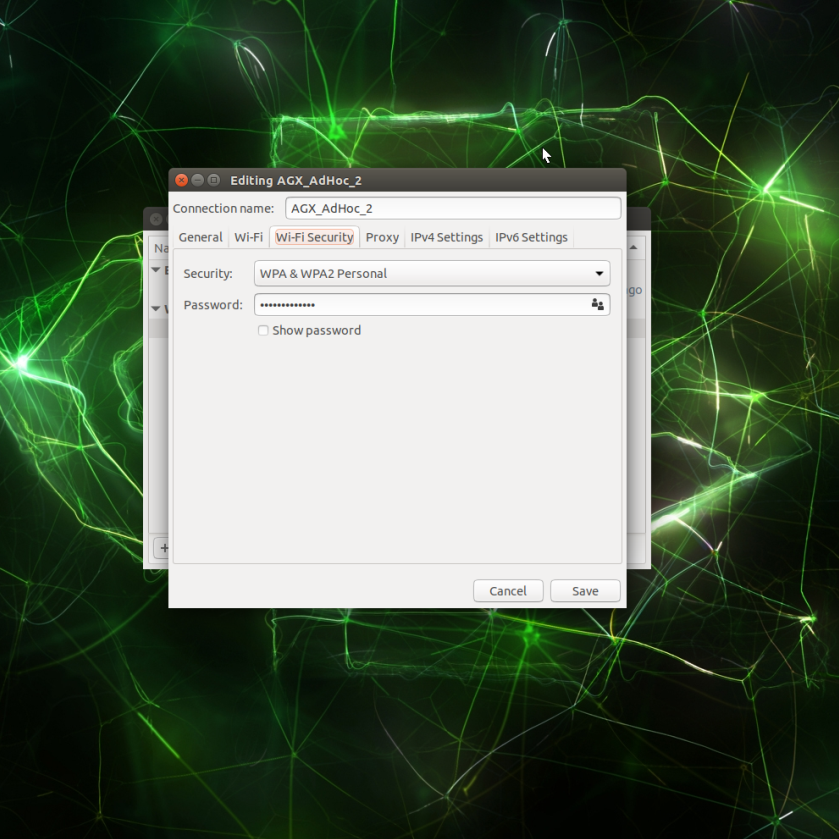
Move to the wi-fi Security tap then update security as WPA& WPA2 Personal, update the Password and then save.The wifi hotspot is updated
Credentials for login to Wifi:
Username : agx.device.idial.wifi
Password : WMjMh31qdKPyrvCk